
Office Ergonomics
Introduction
In today’s world, we spend countless hours at our workstations, often in a seated position. Prolonged awkward postures, a lack of movement, and repetitive motions are the main culprits behind chronic musculoskeletal problems. Conditions like back pain, neck pain, and carpal tunnel syndrome don’t just affect our health and well-being; they also significantly reduce our productivity at work.
Ergonomics offers scientific solutions by adapting the workstation and the entire workspace to the natural needs of the human body.
A correctly designed ergonomic environment significantly reduces physical strain and makes a substantial contribution to the health and efficiency of employees, whether they are in the office or working remotely.
How can you design your workstation to reduce pain and boost your performance?
Guidelines for an Ergonomic Workstation
The following are key guidelines for creating an ergonomic workstation. These can be applied by employees for their personal comfort and health, as well as by employers to create a healthy and productive environment.
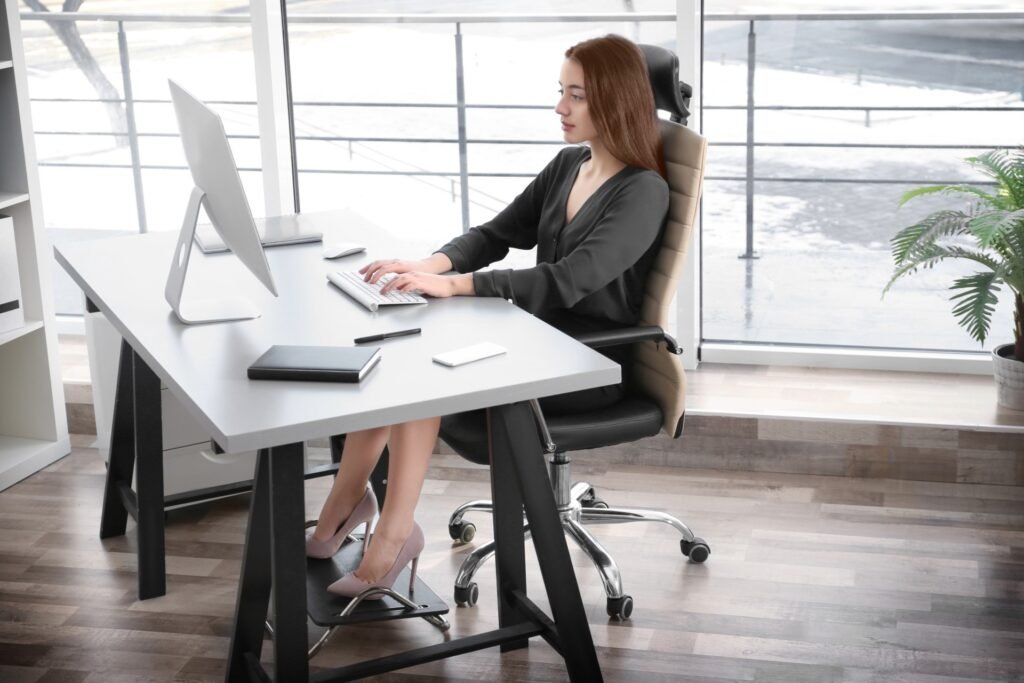
1. Ergonomic Chair
- Adjust the height so your feet rest firmly on the floor (or on a footrest).
- Your knees should form an angle of about 90-100°.
- A slight recline of the backrest (100°–110°) provides better support for the spine.
- Keep your arms (elbows) close to your body, forming a 90° angle.
2. Ergonomic Desk
- The height should allow your forearms to be parallel to the floor with your shoulders relaxed.
-
If the front edge of your desk is hard and not rounded, cover it or use a wrist rest to avoid strain.
-
Keep the space below and above the desk clear, so that micro-adjustments of body posture are not restricted.
3. Monitor Placement
- Keep the screen 50–70 cm away (about an arm’s length).
- The top edge of the screen should be at or slightly below eye level to keep your neck from bending up or down for extended periods.
- Place it directly in front of you to avoid turning your head.
4. Keyboard & Mouse
- Place them on the same surface, directly in front of you.
- Their height should be such that your wrists remain in a straight, neutral position (not bent up or down).
5. Laptop
- For prolonged use, use a laptop stand to raise the screen to the correct height.
- Connect an external keyboard and mouse to allow for a more neutral posture for your hands and wrists.
6. Frequently Used Objects
- Place your phone, notepad, and other items within easy reach.
- For frequent phone calls, use a headset to avoid cradling the phone between your shoulder and ear.
Beyond the workstation itself, what else should we consider to ensure a truly ergonomic environment?
Guidelines for Ergonomic Workspace Design
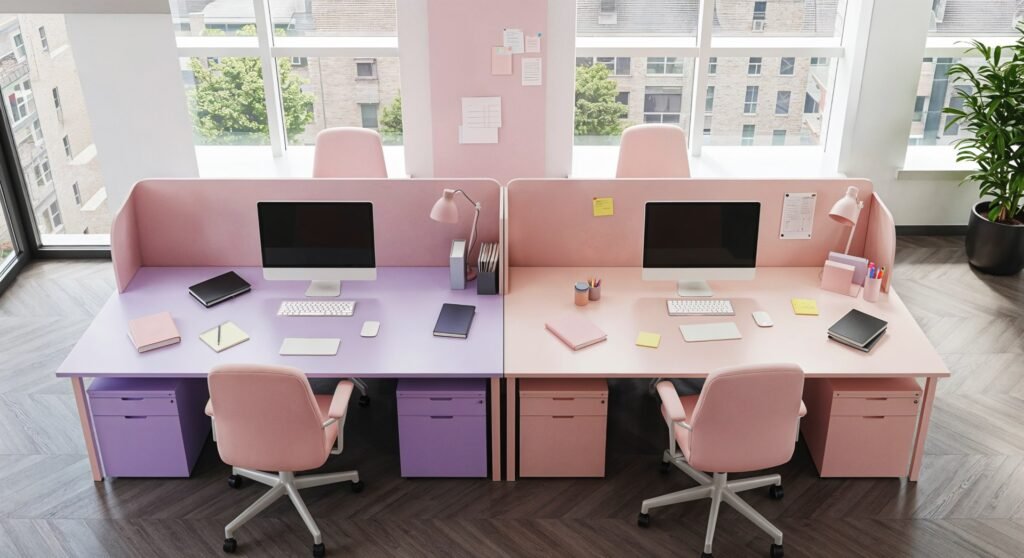
In addition to the ergonomic design of the individual workstation, it is equally important to pay attention to the wider workspace. The way a space is organised directly affects comfort, concentration, and productivity.
Here are some fundamental guidelines for the ergonomic design of the workspace to support focus, efficiency, and employee well-being.
1. Lighting
- Ensure adequate natural light to reduce eye strain and improve mood.
- Avoid placing monitors directly in front of or behind windows. Ideally, windows should be to the side to prevent glare on the screen.
- Use uniform artificial lighting (e.g., a desk lamp with adjustable intensity) that can be adapted to the needs of each task.
2. Space & Organization
- Maintain enough free space around the desk for easy posture changes and movement.
- Avoid storing objects that restrict your legs or micro-movements.
- Keep your work surface tidy to reduce mental fatigue and increase focus.
3. Noise Control
- Reduce noise by using sound-insulating materials or by arranging furniture strategically, so you don’t have to move frequently.
- In open-plan offices, use headphones to minimize distractions.
- Create “quiet zones” for tasks that require deep concentration.
What the Evidence Says
The contribution of ergonomics is significant for comfort and pain reduction; however, it cannot ensure our musculoskeletal health on its own. Prolonged inactivity remains the primary risk factor.
True prevention is achieved only when ergonomic design supports regular movement, breaks, and targeted exercises.
Conclusion
Applying ergonomic principles in the workplace is not a luxury, but the foundation of a modern and sustainable business model. A space that respects the body and encourages movement ceases to be just a place of work and is transformed into an environment of health and high performance. The ultimate reward is a dynamic ecosystem where healthy, active employees drive the business forward.
Learn How to Improve Your Occupational Health
Ergonomics is an essential element in every modern work setting, as it directly affects the health, well-being, and performance of employees.
Learn more about the ergonomic design of workspaces through our specialized service:
Contact us to create a healthier and more efficient work environment together.
Blog written by Michail Arvanitidis
References:
- Health and Safety Executive (HSE). Working safely with display screen equipment.
- Hoe, V. C., Urquhart, D. M., Kelsall, H. L., Zamri, E. N., & Sim, M. R. (2018). Ergonomic interventions for preventing work-related musculoskeletal disorders of the upper limb and neck among office workers. The Cochrane database of systematic reviews, 10(10), CD008570.
- Mayo Clinic. Office ergonomics: Your how-to guide.
- Santos, W., Rojas, C., Isidoro, R., Lorente, A., Dias, A., Mariscal, G., Benlloch, M., & Lorente, R. (2025). Efficacy of ergonomic interventions on work-related musculoskeletal pain: A systematic review and meta-analysis. Journal of Clinical Medicine, 14(9), 3034.